Coming soon to Google Play

Smart enough to predict. Private enough to trust.

CashflowLy brings predictive budgeting, multi-wallet clarity, and desktop MCP intelligence to your finances — with zero ads, zero subscriptions, and 100% offline privacy.

No account or sign-up Zero ads 100% private & offline Optional BYOK AI Claude & Cursor MCP
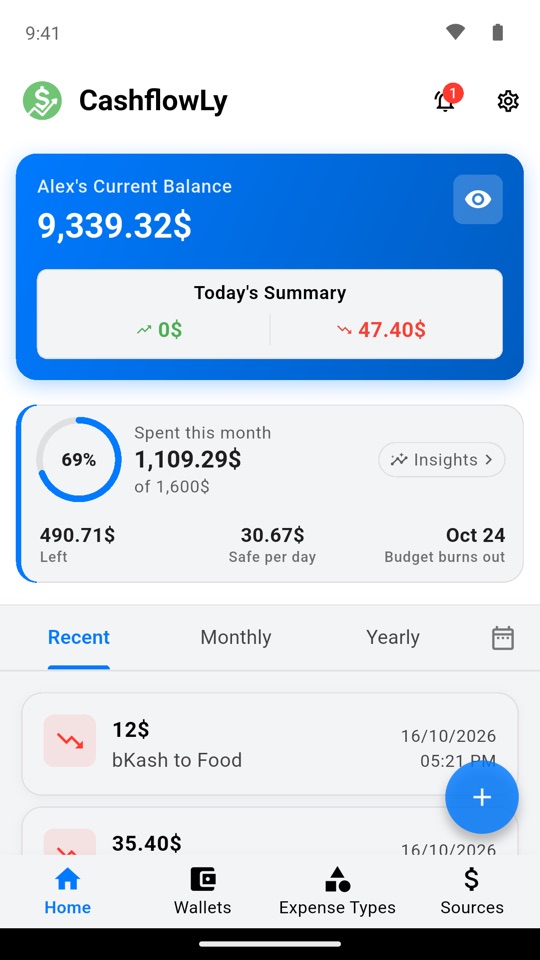
Local-first storageOn-device private storage with zero cloud tracking
Monthly budget & paceSafe daily spending limit & predictive burnout dates
Recurring queueApprove or skip repeating subscriptions and bills
Desktop MCP serverQuery finances in Claude Desktop & Cursor via npm
Core Features

Everything you need for effortless financial control

Intuitive daily logging, real-time pace forecasting, multi-account management, and smart recurring bills—built right into your device.

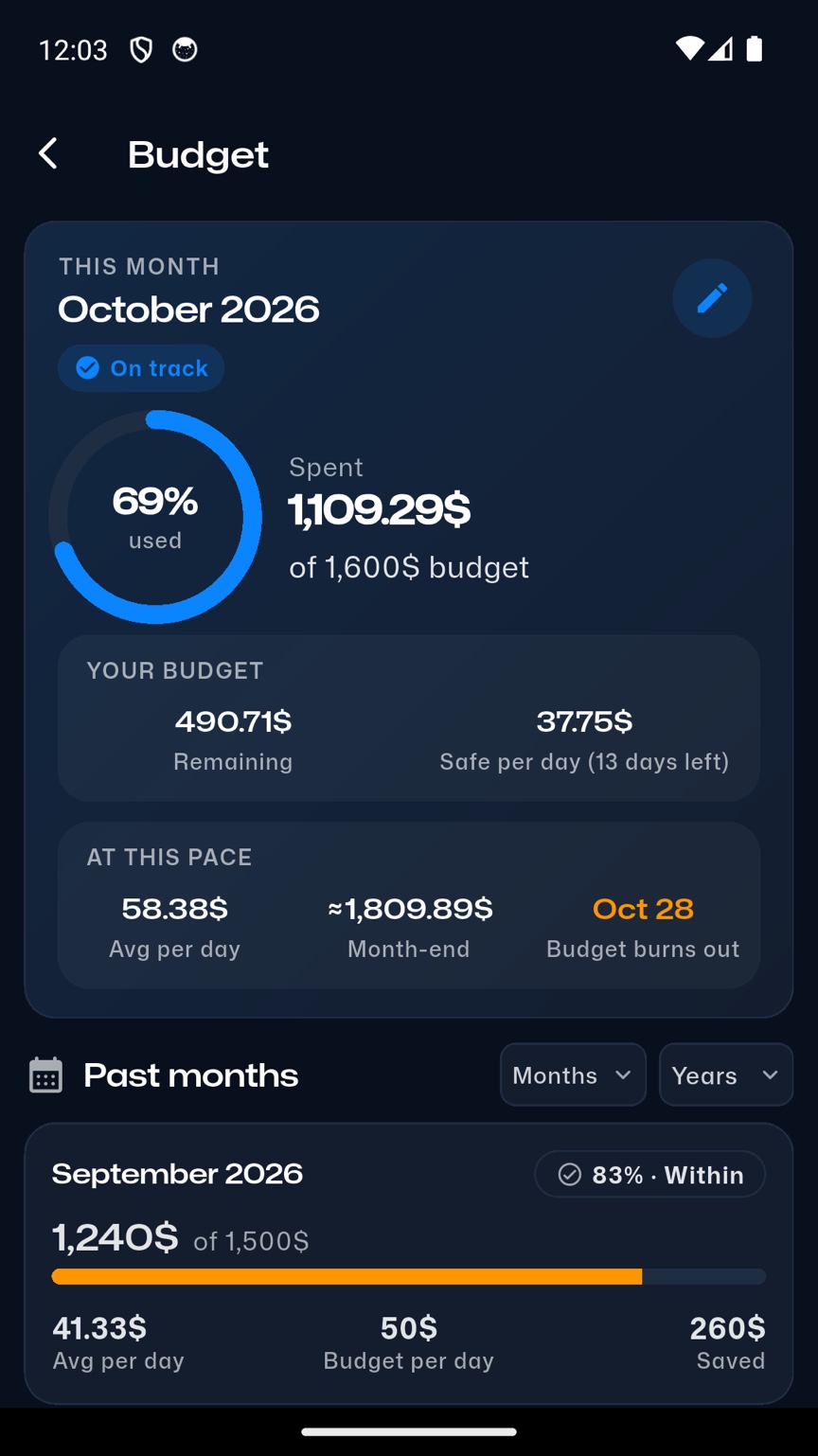
Monthly budget limit, progress ring, and past months archive
Monthly Budget & Archive

Set monthly caps & review past performance

Set a monthly spending limit with milestone notifications at 50%, 90%, and the moment you cross 100%. Browse historical budgets and spending across any year or month with automatic "Within budget" or "Over budget" performance tracking.

  • Visual spending progress ring with real-time used and remaining balances
  • Timely in-app milestone alerts at 50% and 90% of your cap, and again when you go over it
  • Multi-year past archive: filter historical performance by year and month in one tap
  • Clear track record: easily see whether past months were within or over budget
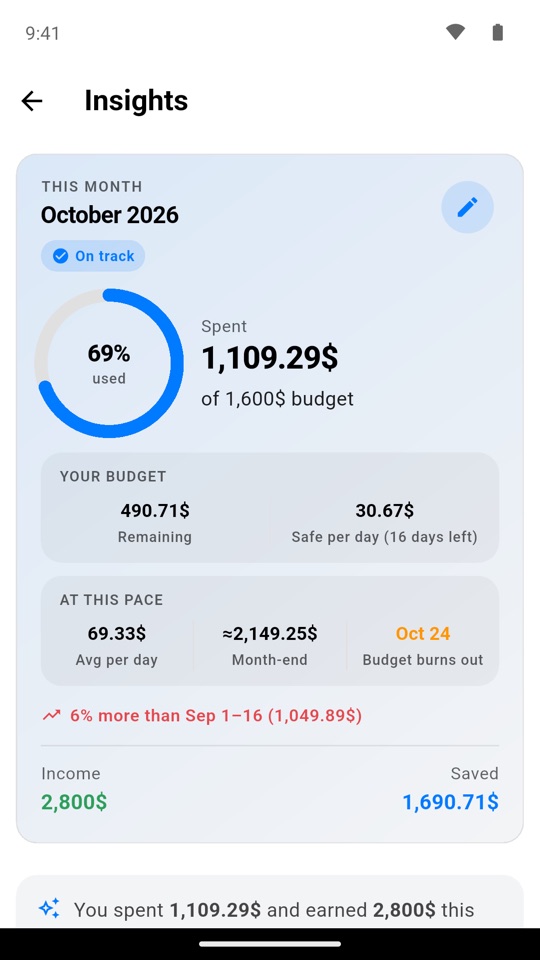
Insights screen with budget progress and month-end forecast
Smart Pace & Insights

Know exactly when your money will run out

CashflowLy analyzes your day-by-day velocity to calculate your daily safe spend, projected month-end total, and the exact calendar date your budget will burn out if you continue at your current pace.

  • Real-time daily safe spend to keep your day-to-day spending comfortably on track
  • Velocity pacing compared against the same calendar days of last month
  • Projected month-end total and exact budget burnout date calculation
  • Net income, total saved amount, and monthly savings rate
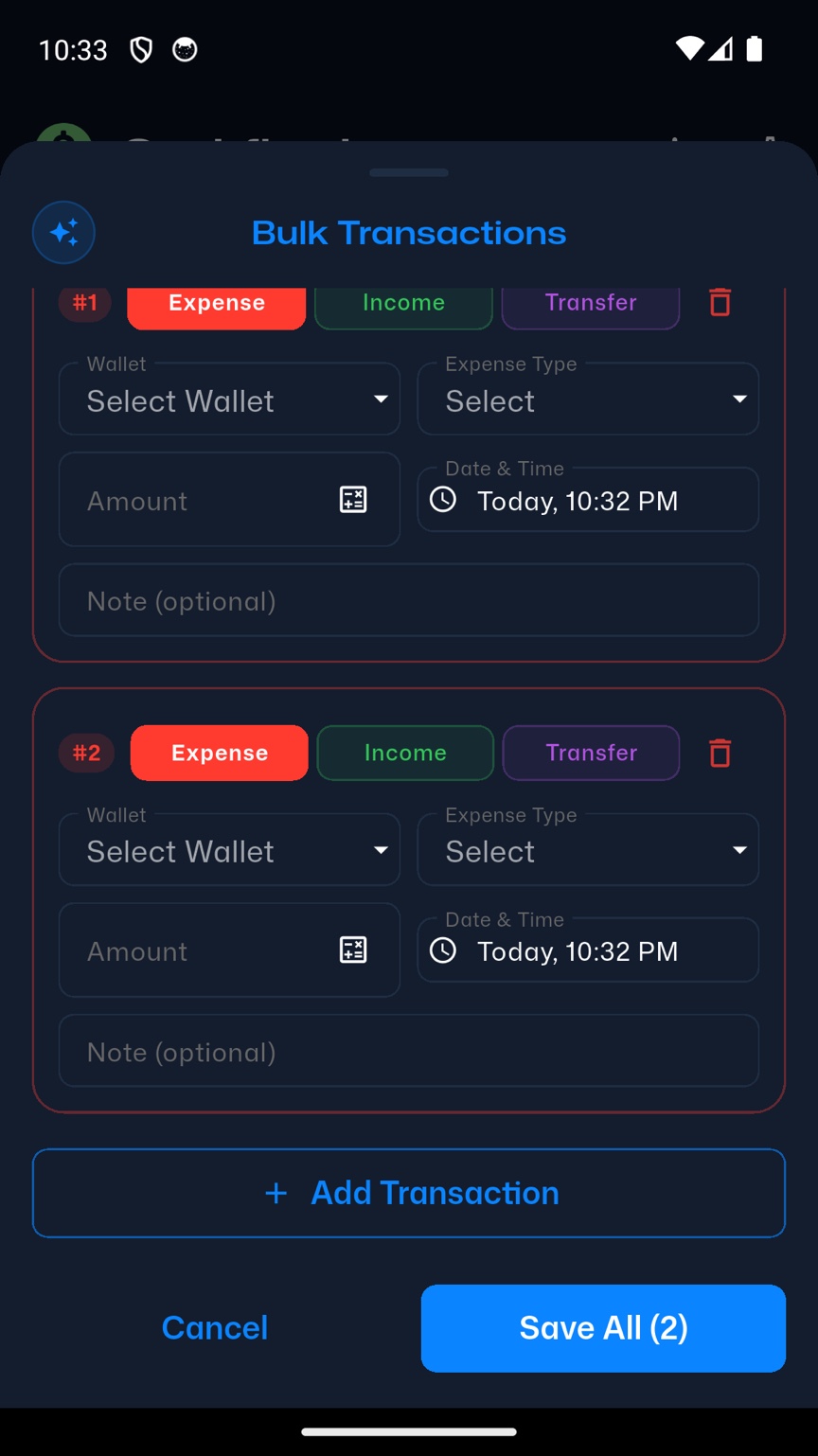
Rapid bulk transaction entry sheet
Rapid Bulk Entry

Log days of spending in seconds

No more tapping through multiple dialogs for every single receipt. Open the bulk entry table to log consecutive expenses, incomes, or transfers on one streamlined screen.

  • Multi-row batch logging: add as many transactions as you need at once
  • Quick wallet and category selection per line item with auto-running totals
  • Single-tap commit to save all entries into your database simultaneously
  • Smart note auto-fill remembers matching category and wallet from past entries
  • Built-in amount calculator with percentage key — total split bills, apply tips, or chain discounts right inside any amount field
  • Attach a receipt photo from your camera or gallery to any transaction, bulk row, or recurring rule — stored locally and included in backups
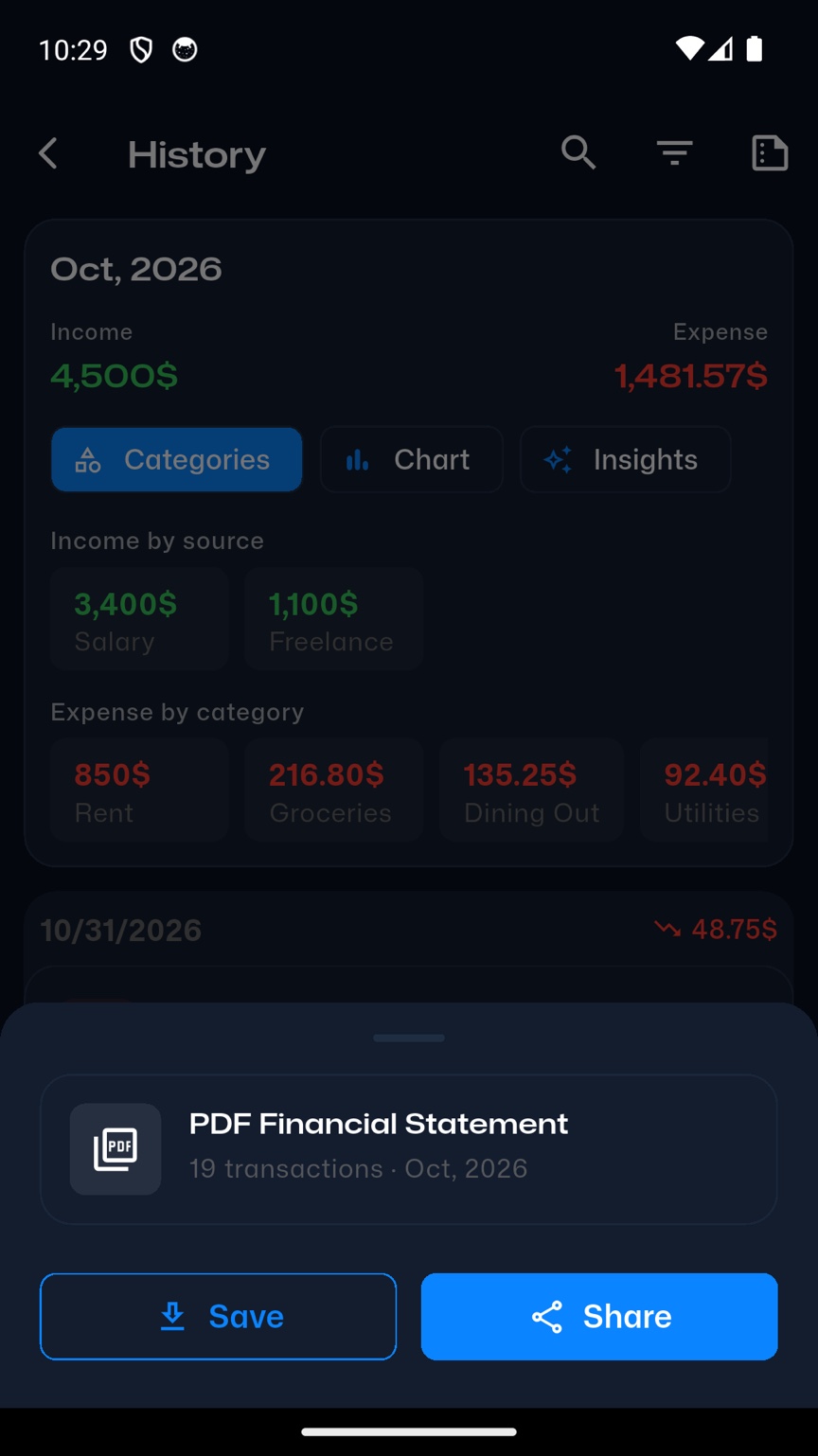
PDF financial statement export sheet
Report Generation

Printable PDF statements, ready to share

Export any history view — day, month, year, or custom date range — into a beautifully formatted, printable PDF financial report. Complete with KPI summary cards and an itemized transaction log.

  • Branded executive summary with total income, total expense, net cashflow, and savings rate
  • Full itemized transaction log with dates, categories, payment wallets, and notes
  • Instant sharing via email, messaging, cloud storage, or direct printing
  • 100% generated on-device with zero cloud processing or tracking
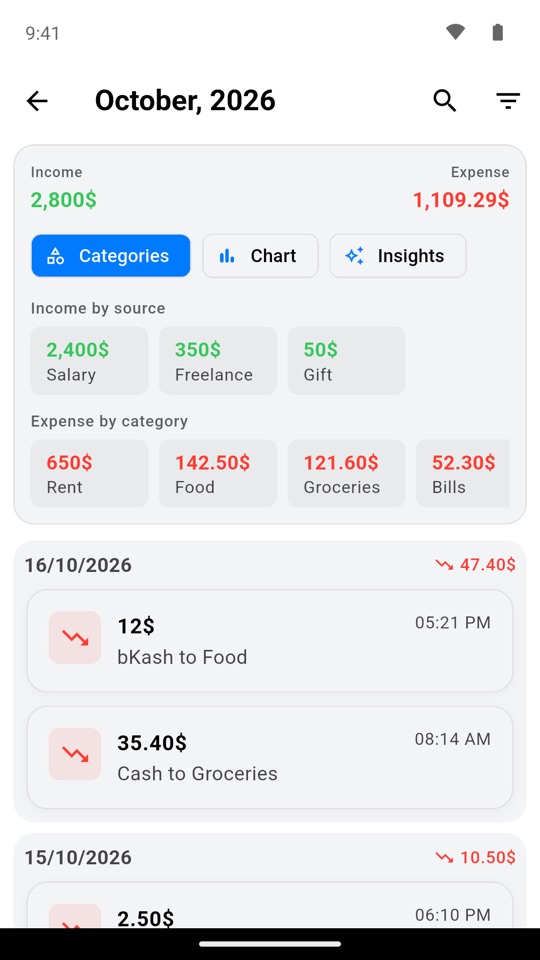
Monthly history with income and expense totals
History & Charts

Every transaction, neatly organised

Browse by day, month, or year. Totals and insight strips sit right on top, with interactive charts for the bigger picture.

  • Instant search, type filters, and custom date-range filtering
  • Daily, monthly, and yearly summary views with interactive charts
  • Full support for income, expenses, and transfers with fees
  • Quick filter chips for income sources and expense categories
  • Visual spending distributions and monthly cashflow trend analysis
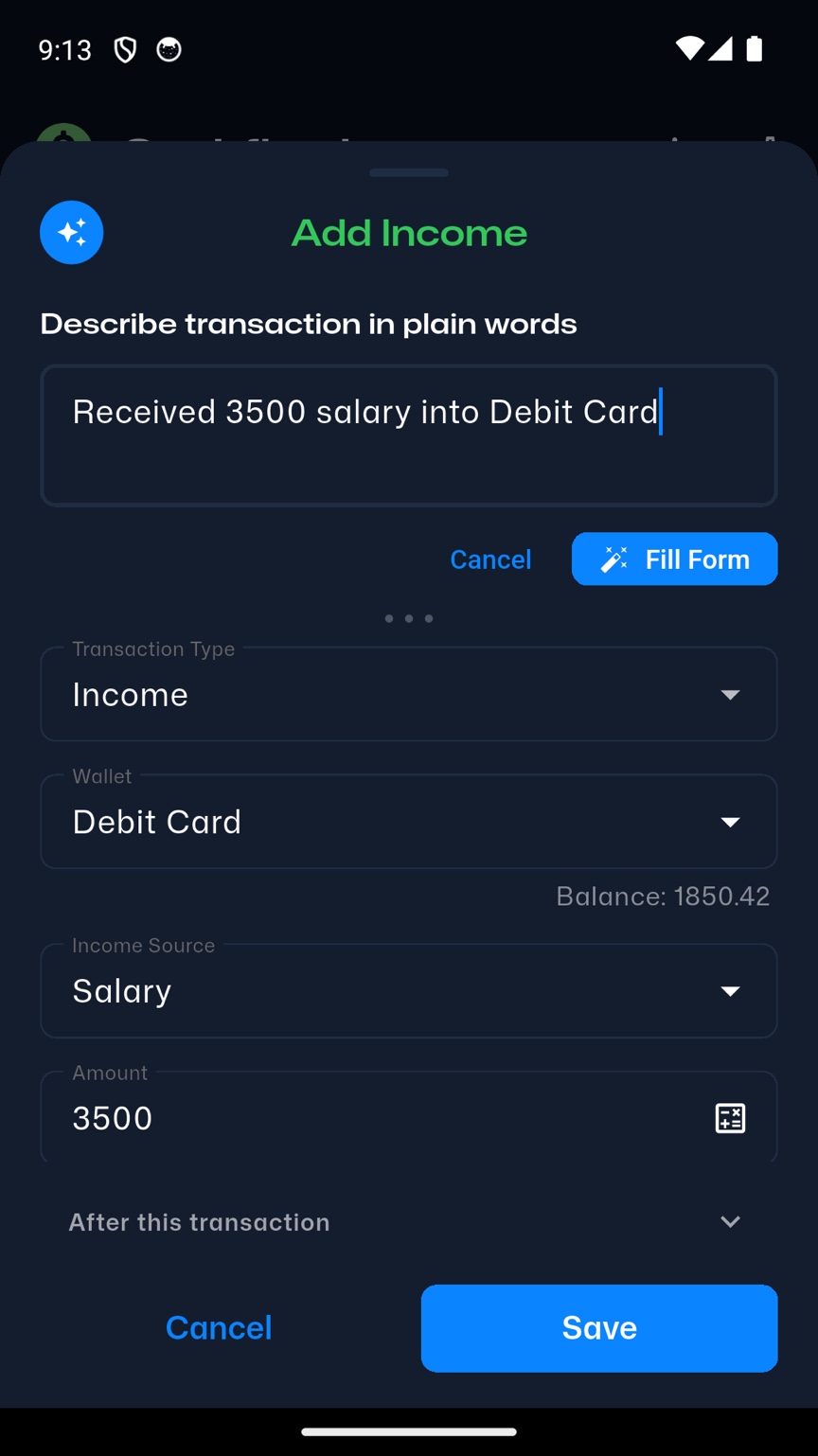
AI form filling screen with natural language prompt
Fill Form by AI

Describe in plain words, auto-fill the form

Tap the sparkle icon in any transaction form to write or speak in plain English. The AI assistant extracts the amount, wallet, category, and date automatically — zero tedious manual entry.

  • Natural language parsing: type sentences like "Spent 15 on coffee at Starbucks with Cash yesterday"
  • Auto-selects matching expense category, payment wallet, amount, and note
  • Batch parsing in Rapid Bulk Entry: describe a whole day of spending and fill rows at once
  • Strict user control: review all pre-filled fields and tap Save when you're ready
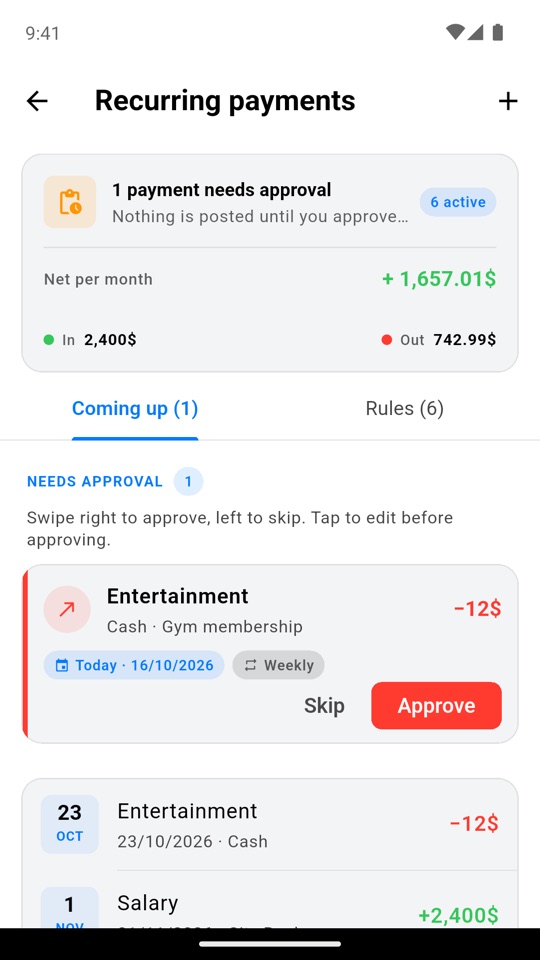
Recurring payments with one payment waiting for approval
Recurring Payments

Rent, salary, and subscriptions—on your terms

Set up payments that repeat daily, weekly, monthly, or yearly—or turn a detected subscription into a rule in one tap. Nothing is added behind your back: when a payment is due, you approve or skip it.

  • Approval queue: see upcoming bills with net monthly total before logging
  • Approve with one tap, skip, or edit the amount first
  • In-app alerts for due bills and 50%/90% monthly budget thresholds
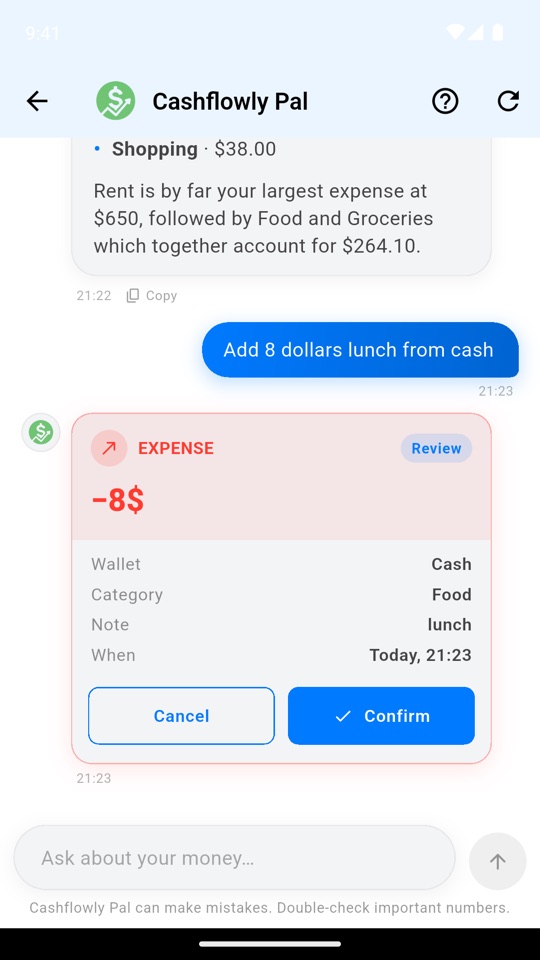
AI assistant answering a question and preparing an expense to confirm
Optional AI Assistant

Just ask, or say what you spent

Ask questions about your finances in plain words, or tell it "add 8 dollars lunch from cash". The assistant prepares the entry with interactive choice chips and waits for your confirmation.

  • Strict guardrails: nothing is saved or changed until you tap Confirm
  • Bring your own Google Gemini or GLM (Z.ai) API key
  • Configurable daily message limit & per-message USD cost tracking
Desktop AI Companion · Model Context Protocol

Query your finances in Claude Desktop & Cursor

Prefer analyzing your spending on your computer? Connect your local or Google Drive backup to desktop AI assistants using our official read-only MCP package.

npm: cashflowly-mcp Strictly Read-Only 100% Local & Private

5 Instant Financial Analysis Tools

When you back up CashflowLy to Google Drive or export a local JSON file, cashflowly-mcp lets your desktop AI assistant answer questions directly from your backup. Zero cloud middleman and zero write operations.

  • get_overview: Balances for all cash, bank, card wallets, net balance, and monthly budget limits.
  • search_transactions: Filter by date, amount, wallet, category, and notes with clear human-readable names.
  • get_monthly_insights: Savings rate, total income vs expenses, safe daily spend, and category breakdown.
  • get_recurring_rules: Inspect repeating subscriptions, bills, and pending items awaiting approval.
  • find_anomalies_and_fees: Audit money lost to transfer fees, anomalous spikes, and repeating patterns.
Live Drive Sync: When your phone backs up to Google Drive for Desktop, your desktop AI assistant immediately sees your latest transactions.
claude_desktop_config.json
{
  "mcpServers": {
    "cashflowly": {
      "command": "npx",
      "args": [
        "-y",
        "cashflowly-mcp",
        "/path/to/cashflowly_backup.json"
      ]
    }
  }
}
Ask Claude or Cursor:
"How much did I spend on dining out this month?"
"Show safe daily spend and budget burnout date"
"Audit my transfer fees and anomalous expenses"
Security & Privacy by Design

Your money stays strictly on your device

Designed to keep your personal finances completely private without sacrificing convenience.

100% Offline by Default

Every core feature—including smart insights, charts, and budget pacing—works locally on your phone without an internet connection.

App Lock Protection

Protect the app with a password that automatically secures your screen the moment you leave the app.

One-Tap Balance Masking

Checking expenses in public? Tap the eye icon to instantly mask all wallet and total balances on screen.

Full Backup Ownership

Export your transactions, receipts, and custom settings to an offline backup or sync directly with Google Drive. Zero lock-in, zero cloud middleman.

Zero Accounts, Zero Ads

No email sign-up, no advertising ID tracking, and no third-party data monetization. Your financial data is never for sale.

Tailored to Your Life

Light/dark/system themes, custom accent colors, 15 global currencies, and flexible date and time display options.

CashflowLy icon

Coming soon to Google Play

CashflowLy v2.1 is currently in closed testing for Android. Have questions or want to join the test track?